
Integration playbook
RepeatMD integration for a connected med-spa journey
A RepeatMD integration should connect med-spa demand with the next approved booking, membership or follow-up action while preventing duplicate outreach. Feasibility depends on the practice's RepeatMD configuration, available vendor connection and the other CRM, calendar and messaging systems involved.

Designed for real practice teams
Automation should reduce the chase, not remove human judgment.
Routine administrative work can move consistently while clinical questions, sensitive conversations and exceptions stay with the qualified people on your team.
- Administrative clarity
- Visible human ownership
- Clinical boundaries protected
Promotions, memberships and patient engagement can sit in one platform while campaign enquiries, phone calls and consultation outcomes live elsewhere. Without shared status rules, the practice cannot see which source created an attended consultation or continuing relationship.
Prospects receive conflicting offers, staff reconciles records manually and the owner sees platform activity without a trustworthy view of patient acquisition economics.
For medical spas and aesthetic practices using RepeatMD alongside separate advertising, CRM or scheduling tools, the useful unit is not a click, message or isolated booking. It is a visible journey from the original source through a qualified conversation, an appropriate appointment and attendance. That shared definition keeps marketing, operations and the front desk accountable to the same result.
The working model
How should the system be built?
Start with the highest-value transition: enquiry to consultation, consultation to treatment, or treatment to appropriate repeat visit. Design a narrow status exchange around that transition rather than attempting to copy every profile and transaction between systems.
- 01
Map the source of truth
Document what lives in RepeatMD and the practice's CRM or booking stack, what belongs in the CRM or booking layer, who owns each status and which system wins when records disagree. This prevents a two-way sync from quietly creating duplicate contacts, stale appointments or contradictory follow-up.
- 02
Validate access before designing
Confirm the exact account tier, permissions, API or native connector access, authentication method, rate limits and vendor approval that the practice actually has. Product marketing pages are not proof that a specific account exposes the connection needed.
- 03
Move the minimum useful fields
Keep the acquisition layer focused on business context such as contact permission, enquiry source, requested service, appointment status and next administrative action. Clinical notes, diagnoses and detailed health information should not enter a marketing workflow without a separate, approved reason and data design.
- 04
Design retries and human exceptions
Every connection needs duplicate protection, idempotent updates, error logging and an owner for exceptions. A failed webhook should create a visible recovery task instead of silently dropping a prospective patient between systems.
- 05
Test the full patient journey
Run real administrative scenarios from enquiry through booking, cancellation, rescheduling and attendance. Test weekends, duplicate records, missing phone numbers, opt-outs and manual calendar changes before the workflow carries live demand.
Implementation detail
What needs to be true in the real setup?
A reliable implementation is specific enough for staff to operate and simple enough to audit. These are the practical conditions we would validate before launch.
- Validate the vendor-supported connection and exact account permissions before scoping.
- Choose one authoritative identifier for contact matching.
- Separate consultation, treatment, membership and repeat-visit states.
- Document how refunds, cancellations, duplicate contacts and changed consent are handled.
Set the baseline before changing the workflow and review a sufficiently large period after launch. Segment results by source, service, provider or time window only when the sample supports the comparison. The purpose is a better weekly decision, not a busier dashboard.
YellowHorns reports assumptions beside the result and avoids claiming that one workflow controls revenue, clinical fit or patient choice. That makes improvement slower to exaggerate and easier to trust.
Work, not theatre
What we actually built.
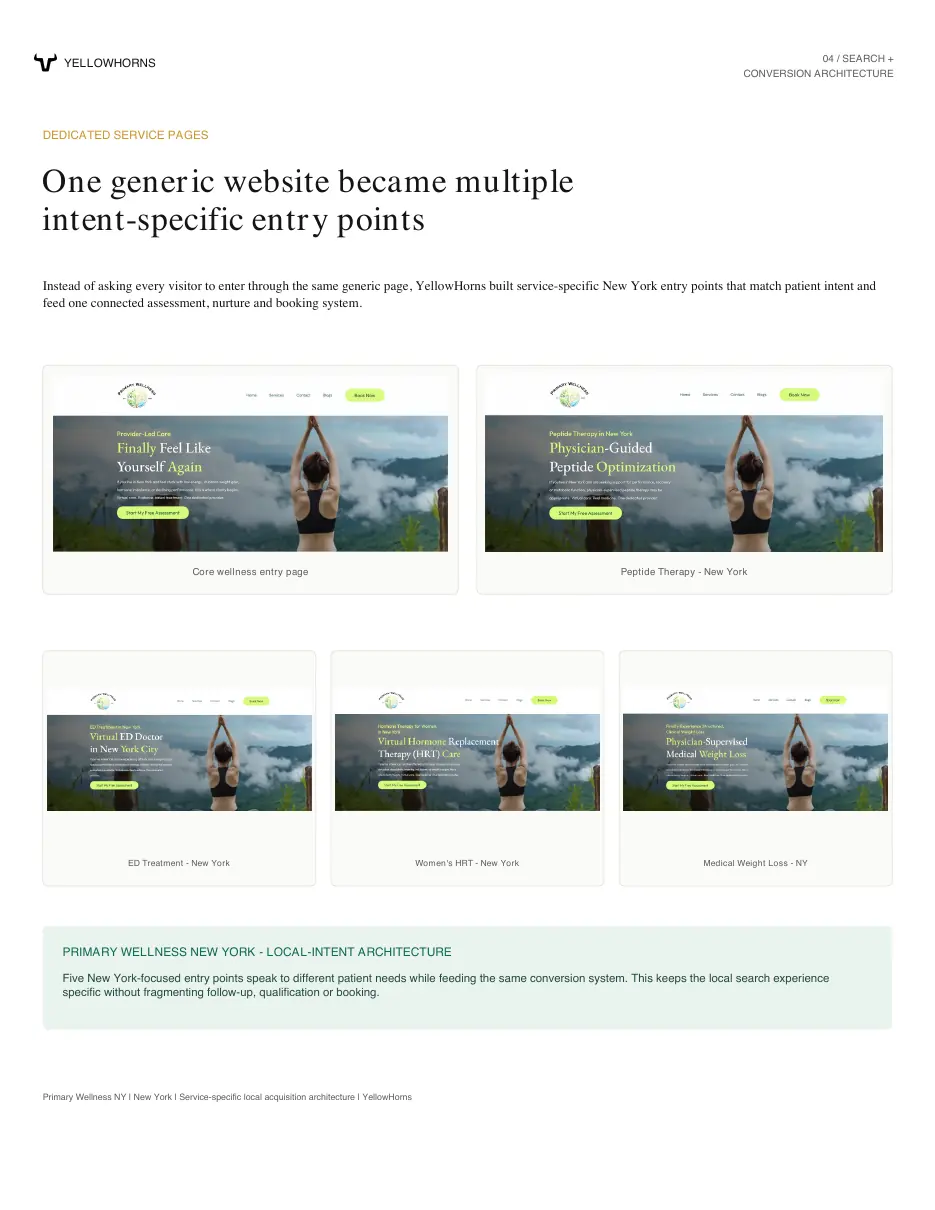
Building a complete patient acquisition system for a telehealth wellness practice
7 to 10 · organic booked consultations per week
Steven Smith, FNP-BCFounder, Primary Wellness NYRead the build notes →
How a psychiatry practice turned a confusing digital presence into a clear path to inquiry
Clearer · practice positioning
Erica SmithFounder, AccessMind PsychiatryRead the build notes →What building the growth engine for a clinical AI platform taught us about practitioner adoption
50+ / month · one-to-one onboarding calls supported with CSR teams
FunctionalMind AIGrowth operations engagementRead the build notes →“We had enquiries coming in, but too many went quiet before the appointment. Now the follow-up feels like a system, not a pile of tools.”
“The big opportunity wasn’t another campaign. It was what happened after someone contacted us. That journey is much clearer now.”
“They found the drop-offs before suggesting more ads. We can finally see and measure the acquisition process.”
“We had demand, but too many ways for people to fall through. The team can now see every opportunity and what needs to happen next.”
“Follow-up used to feel reactive. Now new enquiries, undecided patients and past patients each have an intentional path.”
“We were paying for interest without getting enough consultations. The changes connected enquiries, reminders and reactivation.”
Clear answers
Questions practice owners ask.
What is repeatmd integration?
A RepeatMD integration should connect med-spa demand with the next approved booking, membership or follow-up action while preventing duplicate outreach. Feasibility depends on the practice's RepeatMD configuration, available vendor connection and the other CRM, calendar and messaging systems involved.
What should a practice fix first?
Start with the measurable handoff creating the largest avoidable loss. For medical spas and aesthetic practices using RepeatMD alongside separate advertising, CRM or scheduling tools, that means establishing the current journey before adding another campaign, message sequence or software connection.
How long does implementation usually take?
A focused workflow can often be designed and launched in two to four weeks. Timing changes with platform access, approvals, messaging registration, data cleanup, number of locations and the exceptions the practice needs to support.
Does YellowHorns replace the practice team?
No. YellowHorns removes repeatable administrative friction and makes ownership visible. Practice staff keep control of clinical questions, sensitive conversations, approvals and the judgment that a patient relationship requires.
What happens in the free audit?
We review the current repeatmd integration journey, identify the first constraint, test the assumptions behind it and explain the narrowest system we would build. The 30-minute session is free and useful even if the practice does not hire YellowHorns.
Free 30-minute growth audit
Bring us the real patient journey.
Answer a few focused questions. We'll review the system, identify the first constraint and prepare one specific recommendation before the call.
Start the interactive audit